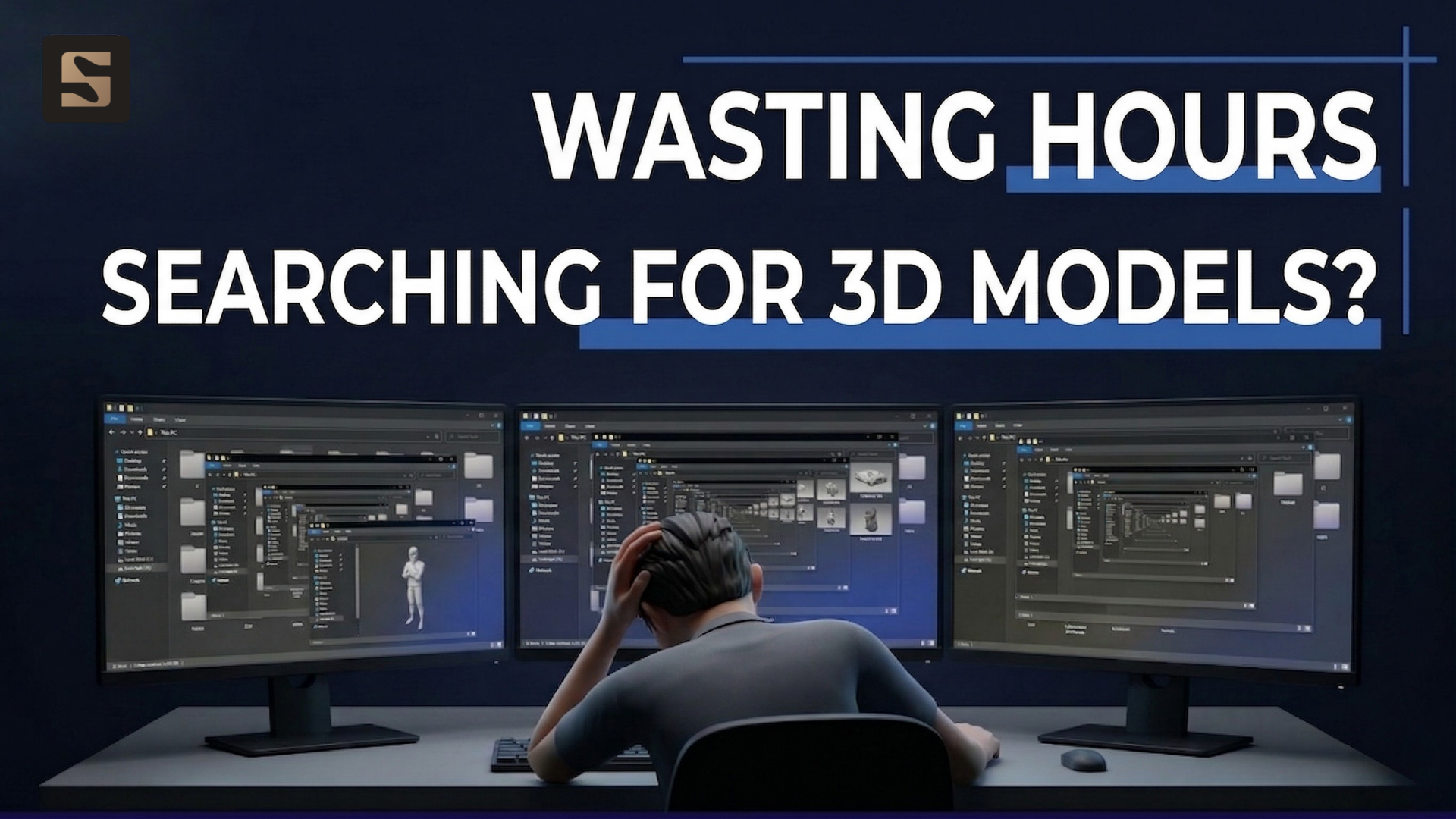
Why is 3D Model Search Becoming a “Bottleneck” in Architectural Visualization Studios?
If you are a 3D artist, you have undoubtedly experienced the frustration of “digging through” all your folders to locate the exact model requested by the client. A frequently used model might only take a few minutes to find, but if you need an older model or are uncertain if you possess it, the search can drag on for tens of minutes or even an hour. If finding one model takes an hour, imagine needing a few more—you could potentially spend an entire afternoon just hunting for individual model files.
The Problem is Not “Finding the File”-It’s Managing Digital Assets
An individual artist may spend 30–60 minutes searching for a single model. But when a team of 10 faces the same issue, your studio is effectively “burning” 5 to 10 working hours every day just on searching. Those hours generate no real value, yet they quietly accumulate into a massive operational cost burden that your business has to absorb. Over time, this inefficiency evolves into a critical bottleneck across your entire production workflow.
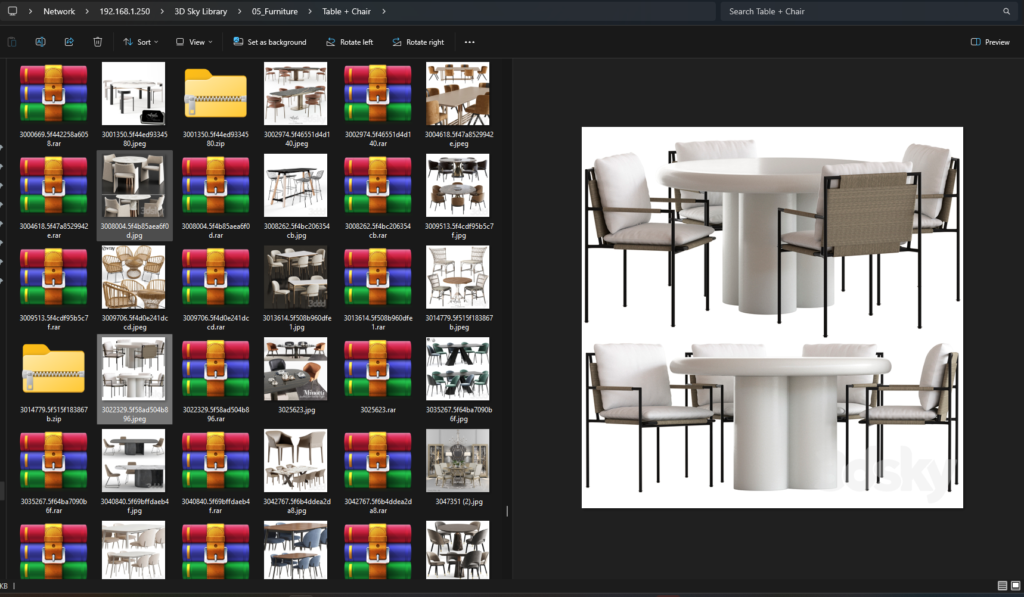
While many studios attempt to solve this with standardized file naming or categorizing folders (tables, chairs, interiors, exteriors, etc.), not every artist can grasp or clearly recall the location of every asset. Any 3D Artist will inevitably get lost in this file list or have to waste time consulting senior leadership to find the correct model. This leads to a greater issue: the studio is not truly “managing” its model library, but merely “storing” it.
Where does that leave time for creativity, refinement, and design optimization? This inefficiency also results in decreased productivity, cost wastage, missed deadlines, and a loss of client credibility.
When the Problem is Correctly Defined: The Solution is Beyond Folders
Informed by over 10 years of industry experience, the longer we worked, the more models we accumulated, an uncountable number. At CAV Studio, having worked on numerous projects with diverse models, we also spent countless hours searching our archives. But we realized: No folder structure is robust enough to solve the search problem when data reaches a large scale.
The problem of wasted time and costs associated with model searching must end.
CC Workspace Extension – The Intelligent 3D Model Search Engine
In collaboration with the IT team at V5SI, we researched and developed a tool to comprehensively address this challenge. CC Workspace Extension helps find the exact model in just seconds.
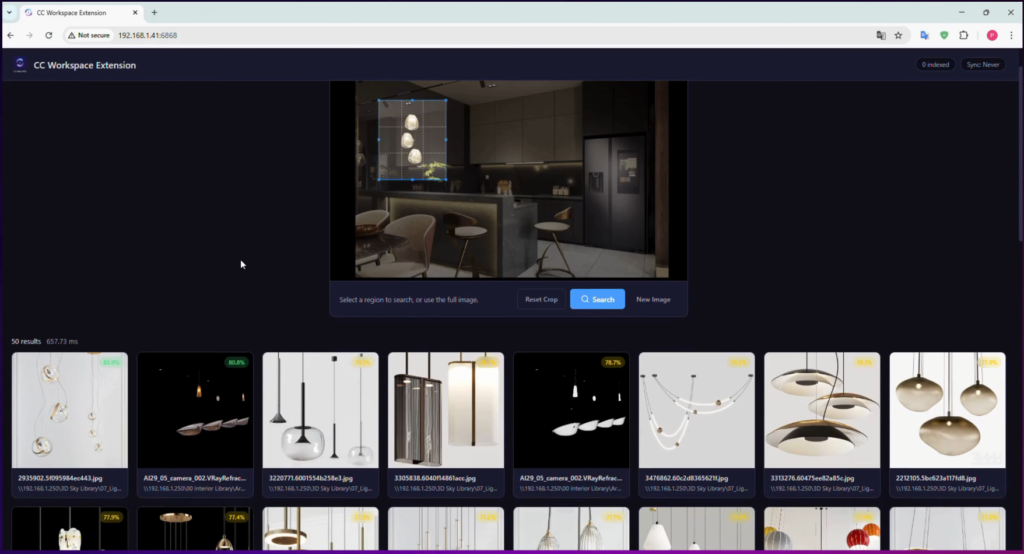
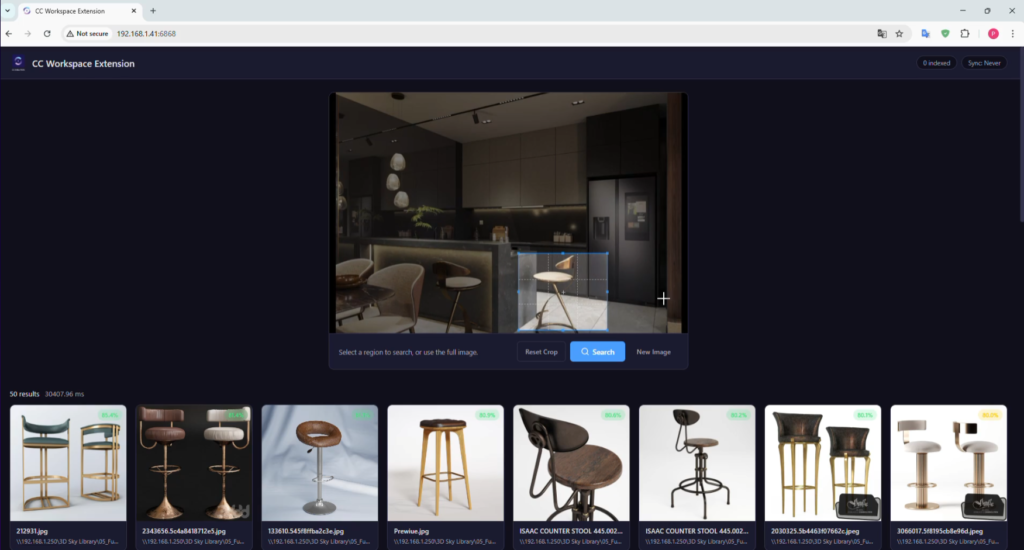
CC Workspace Extension is an AI-powered model search engine for internal libraries. With just a few clicks, a 3D artist can find the exact location of a model based on a sample image. The system uses advanced vector technology to analyze and match similarities, providing search accuracy of up to 95%. Results are clearly classified by model type, size, color, and more. As a result, the model search stage, which previously took hours, is shortened to mere minutes. This tool also helps accelerate project completion speed, reduce reliance on senior/leaders, and professionally standardize the workflow.
More than a Tool – A Complete Workflow Upgrade
Now, an artist simply needs to select a sample model or similar input, and the system automatically analyzes and returns relevant results. This shortens the decision-making time regarding whether to use an existing model or purchase a new one, allowing time to be focused on artistic creation and producing the best design.
- Boost Team-Wide Efficiency
- Artists focus on design, creativity, and image optimization, instead of repetitive tasks.
- Standardize the Process
- No longer dependent on individual memory or complex folder structures.
- Faster Decision Making
- Quickly determine: Is the model already available, or is a new purchase necessary?
System Requirements to Run the App:
- Operating System: Windows 10 & 11.
- Hardware: Nvidia hardware with the latest driver installed.
- Connectivity: The PC running the software needs to be operational and connected to the internal network 24/7.
- Storage: Over 10 GB of free storage space.
Installation Guide:
- Download the software as a compressed file to the server where the model search software will be installed.
- Extract the software file using WinRAR, 7-Zip, or any decompression software.
- Open the extracted folder and run the CCWorkspaceExtension.exe file.
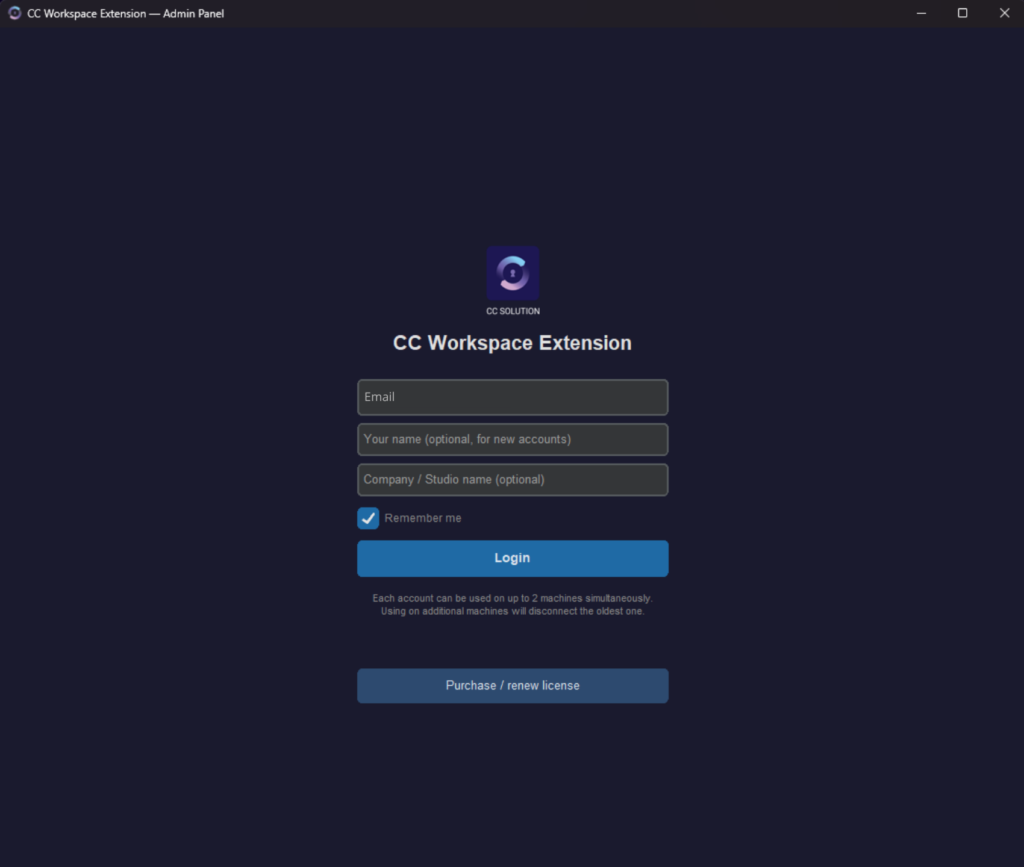
- Enter the necessary information to register an account.
- New user accounts will be activated with a 6-month free trial package. After the trial, you will need to renew your subscription.
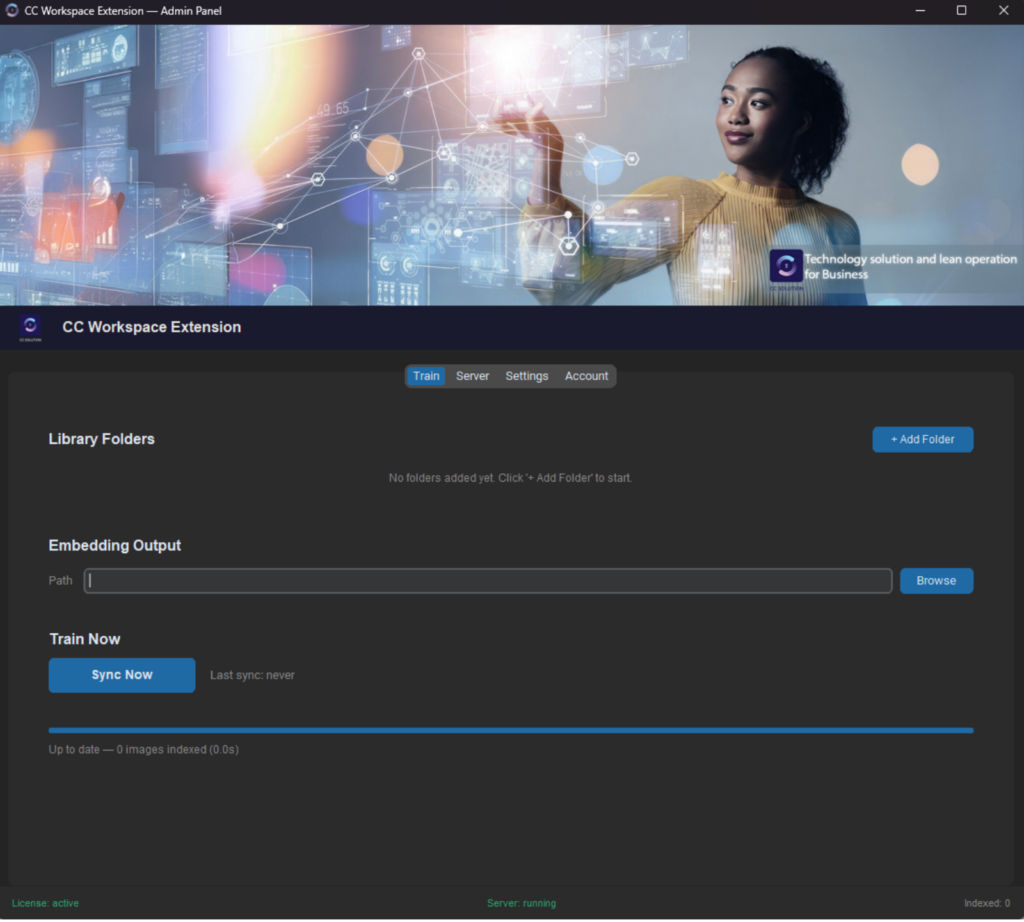
- Click on Add folder and select the path where you store your 3D model library on your server.
- Click on Browse and select the path where you want to save your setup information file.
- Press Sync Now and wait until the software finishes analyzing and creating your library schematic system.
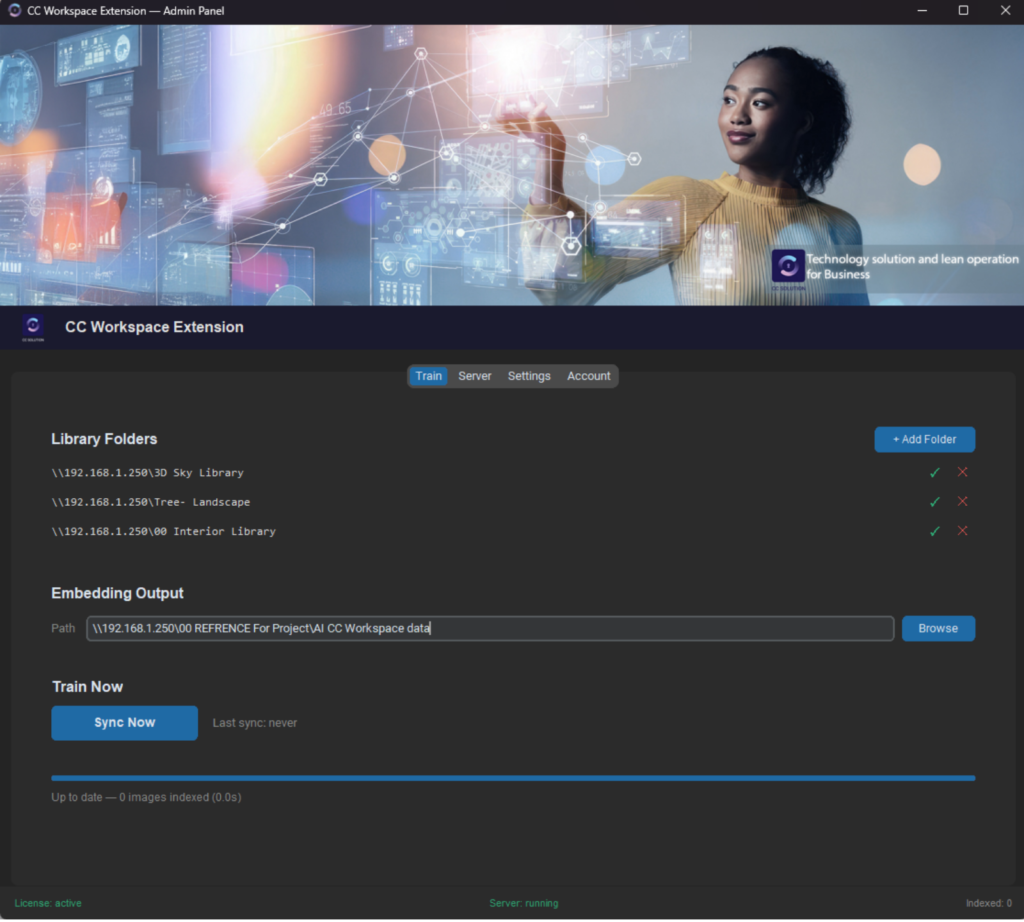
- Once configuration is successful, the system will display complete information.
- After the analysis and model mapping process is complete, click Server on the top tab.
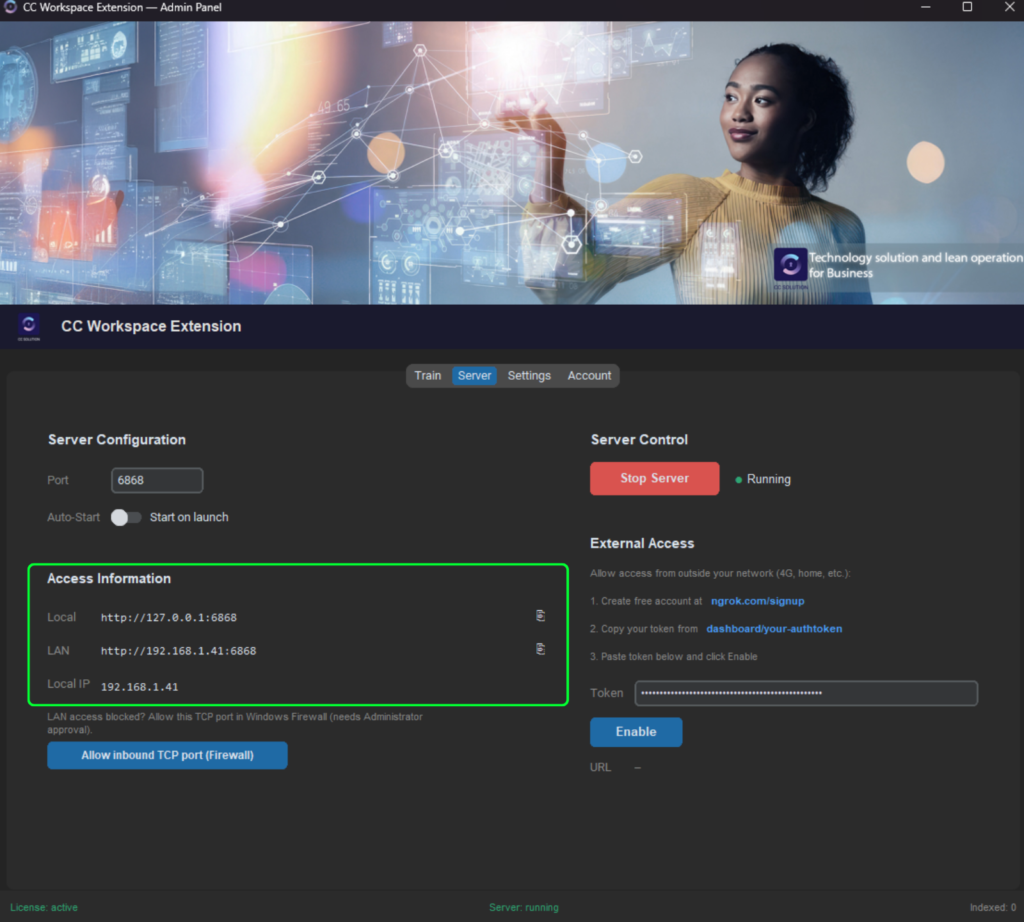
- You will obtain the link to access the CCWorkspaceExtension Web application.
- Copy and access the web browser using the path shown in the LAN section to start using the 3D model search app. All computers on the internal network can access this path.
Watch the installation tutorial video here: Link youtube
How to Fix Errors When Installing CC Workspace Extension?
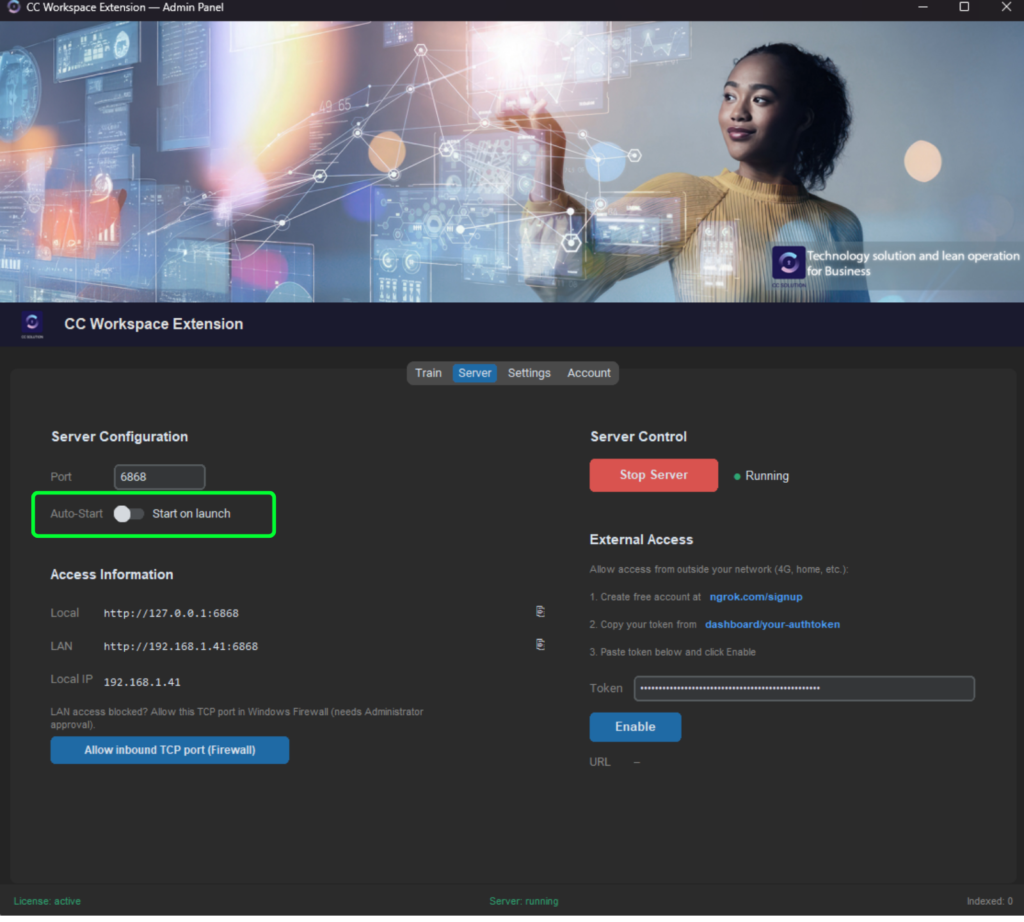
- Enable the Start on launch feature so the software automatically starts and runs every time the server is turned on, which is convenient for situations like power outages or sudden server shutdowns.
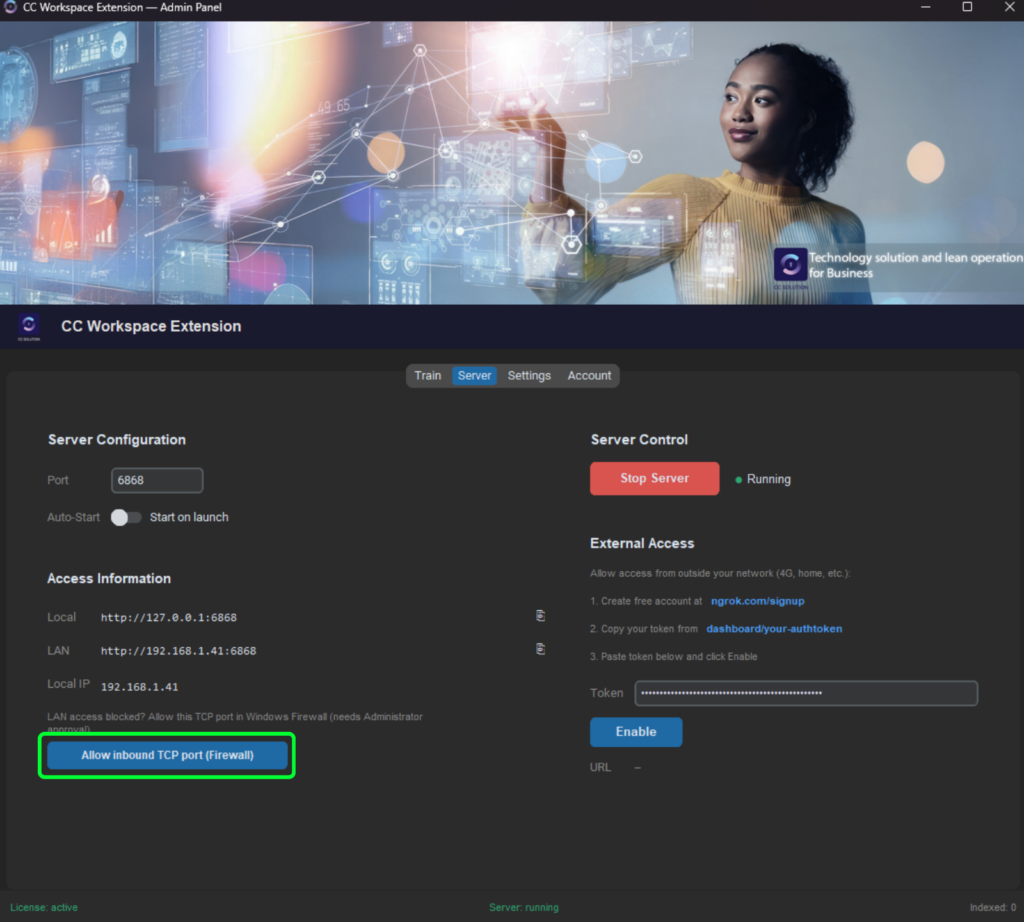
- If you encounter an error when accessing the app link, click Allow inbound TCP port (Firewall) to allow the software to open the connection so that other computers on the internal network can access it successfully.
CC Solution was built with the goal of solving practical operational challenges within businesses. We believe that the most effective tools do not stem from theory, but from issues validated during actual project implementation.
With CC Workspace Extension, we offer a solution that helps architectural visualization businesses significantly reduce model search time, standardize the workflow, and enhance the efficiency of the entire team.
The tool is currently being offered free to the community, suitable for both growing studios and large-scale enterprises.
Experience CC Workspace Extension today – free for 6 months and start optimizing your workflow.