Liberate your artistic hands: Enhance people, fix lighting, transform complex details, and build your own personal AI “skills”, all without ever breaking your workflow in Photoshop.
The Reality of Archviz Post-Production in 2026
If you are a professional 3D artist or work in an architectural visualization (Archviz) studio, you’ll recognize this reality: a great image is made through meticulous effort, but the highly detailed post-production stage consumes most of your precious time.
These creative roadblocks are not new, but they have become clearer than ever in the age of AI:
- People still look fake. Whether sourced from a 3D library or generated by AI, the difference in photographic quality compared to a well-crafted architectural render always creates an unnatural ‘uncanny valley’ effect.
- Manual compositing eats up your hours. Finding stock images, cutting them out, matching perspective, adjusting lighting, color grading… a single figure can take 30–60 minutes. A hero shot with multiple characters can wipe out half your day.
- The AI tool-switching tax. To fix a small detail using AI, the typical workflow is: crop in Photoshop → upload to a browser → write a prompt → wait → download → drag back into Photoshop → adjust. Repeat for every region.
- No context, no consistency. When you only send a small crop, the AI cannot see the full context of your scene. The result is incorrect scaling and clashing lighting, forcing you to spend more time correcting the output than you saved.
The tools exist. The AI power is strong enough. What has been missing is the bridge – a seamless way to harness that creative power without ever leaving Photoshop.
This was not originally intended as a product. We initially built this as an internal solution for our own studio. At V5 Solution & Investment (V5SI) and CAV Studio, we witnessed talented artists dedicating hours to repetitive, AI-assisted tasks that should take minutes.
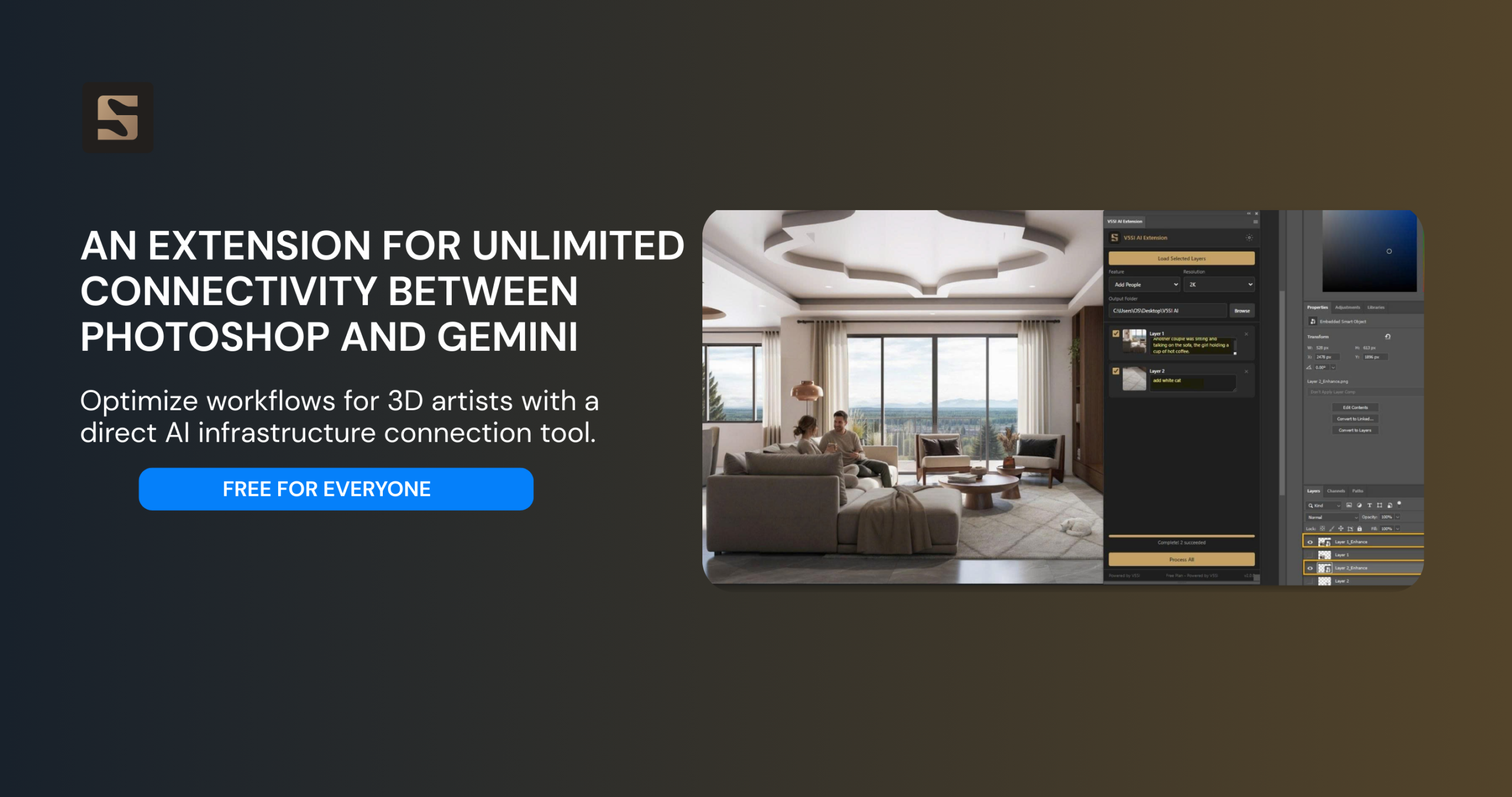
So we created the V5SI AI Extension: a Photoshop panel that connects directly to Google Gemini AI.
You simply select a region, describe what you want, and click “Process”. The AI understands your full scene for context, generates a hyper-realistic result, and places it back as a Smart Object perfectly positioned.
This is not just a tool for human figures. This is a universal AI bridge, liberating every creative task in your Photoshop workflow.
We decided to share it COMPLETELY FREE with the global creative community.
The Game Changer: Scene-Aware AI Technology
This is what fundamentally sets the V5SI AI Extension apart from manually working in a browser.
When you request a region to be processed:
- The Extension sends two images to the AI: Your full scene (to understand camera angle, architecture, and light direction) and the Selected Region (to identify the transformation area).
- It also informs the AI of the region’s position in the full scene as foreground, midground, or background.
The result: People are always at the correct scale, lighting always matches the environment, and every new detail feels like it belongs in the composition.
What V5SI AI Extension Does – Built-in Features:
Enhance People: For 3D or AI-generated people that look unnatural. The AI regenerates that area with photorealistic humans, keeping the pose and clothing, but transforming the image quality.
Add People: Fill an empty plaza or a quiet café terrace. Just type a description like “A young couple having coffee” and natural-looking people will appear with correct scale and matching lighting.
Beyond Limits: Create Your Own Custom AI Skill
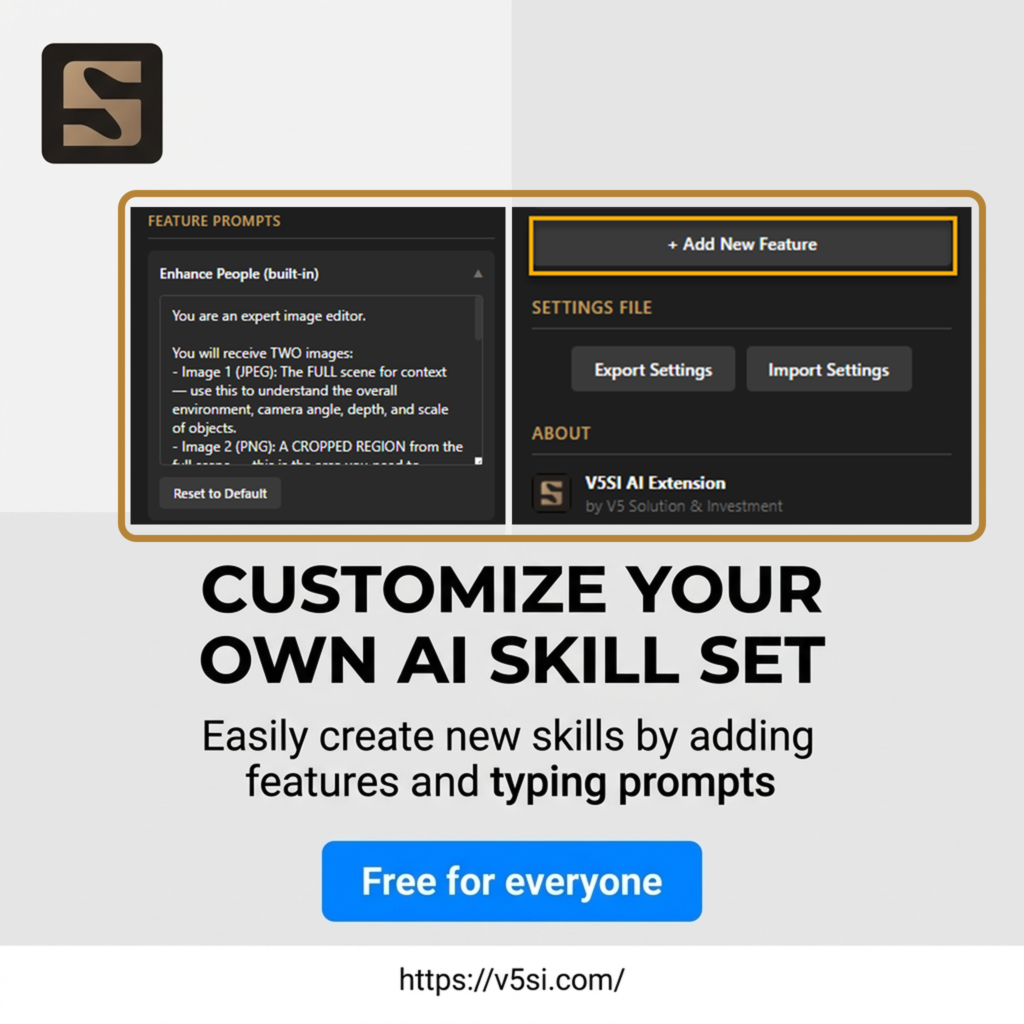
The true power lies in customization. You can define your own AI features (Custom Skills) in Settings using your own unique prompts:
- Lighting & Atmosphere: “Adjust the lighting in this area to golden hour warmth. Add soft sun rays from the upper left. Keep all objects and architecture unchanged.”
- Detail Enhancement: “This area contains water/glass reflections that look artificial. Regenerate with realistic reflections that match the surrounding environment and light direction.”
- Sky & Environment: “Replace the sky in this region with a dramatic sunset. Maintain the existing building silhouettes and ensure the color temperature transitions naturally into the scene.”
- Texture & Material Fix: “The wood texture on this surface looks flat and CG. Regenerate with photorealistic wood grain that has natural variation, subtle imperfections, and correct shadow response.”
- Vegetation Enhancement: “The plants and trees in this area look synthetic. Regenerate with lush, photorealistic vegetation that matches the tropical climate of the scene.”
Share and Collaborate: You can export these skills as a JSON file and share them with your colleagues or the community.
Quick Activation Guide:
Step 1: Get Your Free Google Gemini API Key
The extension runs on Google Gemini AI. You will need a free API key to connect:
- Go to Google AI Studio
- Click “Create API Key” (takes only 30 seconds).
- Paste the key into Settings → API Key in the extension panel. (Note for V5SI team members: Just use your work email—your API access is pre-configured.)
Step 2: Download & Install
- Download the free extension package.
- Unzip, right-click install.bat → Run as administrator.
- Restart Photoshop. Done!
Step 3: The Workflow
- Open your image in Photoshop.
- Select the region you want to process.
- Ctrl+J (Layer Via Copy) to create a new layer from that selection.
- Repeat for all areas needing transformation.
- Load Selected Layers in the extension panel.
- Pick a feature (built-in or your own custom skill).
- Process All – all regions are processed in parallel.
- Results appear as Smart Objects, perfectly positioned.
Five regions that used to take an hour to process. Now under two minutes.
Built for Professional Workflows
Non-destructive: Every result is a Smart Object. Edit, replace, or undo anytime.
Batch Parallel Processing: All regions are sent to the AI simultaneously, eliminating sequential waiting time.
Scene Context Awareness: Full image + crop position = correct proportions every time.
Unlimited Custom Skills: If you can describe it in a prompt, the extension can do it.
Features Exclusive to Credit Users
UPDATED VERSION 22.03.2026
More than just convenience, Credit Mode unlocks exclusive features—carefully researched and pre-configured to support professional archviz workflows by CAV Studio.
Advanced Feature Set for Archviz
The following tools are designed to optimize every step of your real-world workflow:
- Google Maps → Photorealistic Convert Google Maps images into high-quality photorealistic renders—perfect for photomontage in planning and construction permit submissions
- Art Director Board
Explore artistic directions and create multi-perspective mood boards for architectural projects - Camera Angle Study
Generate multiple camera angles from a single architectural image—optimized for the concept phase - Sketch to Render
Turn architectural sketches into high-quality renders in seconds—from hand-drawn lines to photorealistic results - Sketch to Photo / Luxury Photo
Transform sketches into realistic photos or high-end luxury-style visuals
All of these features are deeply researched and optimized by the CAV Studio team based on real-world archviz workflows.
You simply: Select → Process → Get results
New features will be continuously updated in real time, staying aligned with the workflows we develop.
Quick Chat — AI Image Editing Has Never Been Easier
Quick Chat introduces a completely new way to edit images—simple and precise:
How it works:
- Select the area you want to edit (using any selection tool)
- Describe what you want to change
- AI processes and returns the result exactly in the original position
You can:
- Replace trees
- Adjust shadows
- Add details to empty areas
All in one simple flow: Select → Describe → Done
No need to create layers. No complex workflow required.
Additional Improvements You’ll Love
Beyond the core features, the system has been upgraded to deliver a smoother and more secure experience:
- Update notification system
Always stay informed about new versions and features - Visual progress bar
Track exactly what the AI is processing in real time - Flexible switching between API mode and Credit mode
Easily switch between using your own API key or Credit without affecting your data
Enhanced security
API keys are encrypted, trial abuse is controlled, and all credit transactions are secured with atomic transaction mechanisms
Free. No Catch
The V5SI AI Extension was developed to enhance our internal production pipeline at V5SI and CAV Studio. We believe great tools should be accessible to everyone.
We are releasing it completely free for 3D artists, architectural visualizers, CGI studios, and anyone who wants the power of AI at their fingertips inside Photoshop.
The only cost is the Gemini API usage, which includes a generous free tier from Google more than enough for most individual artists’ daily work.
Requirements
- Adobe Photoshop 2021 or later (Windows)
- Internet connection
- Credit Mode: sign up and top up credits
- API Mode: free Gemini API key from Google AI Studio
V5SI AI Extension is developed by V5 Solution & Investment — Empowering Creativity through Technology for Scalable Business Impact.
Follow V5SI
Follow us for updates on new releases, tutorials, and creative industry insights
- Website: https://v5si.com
- Facebook: https://www.facebook.com/v5sigroup
We are always eager to hear your ideas, feedback, and see the custom skills you create shared with the community. Reach out to us at info@v5si.com.