

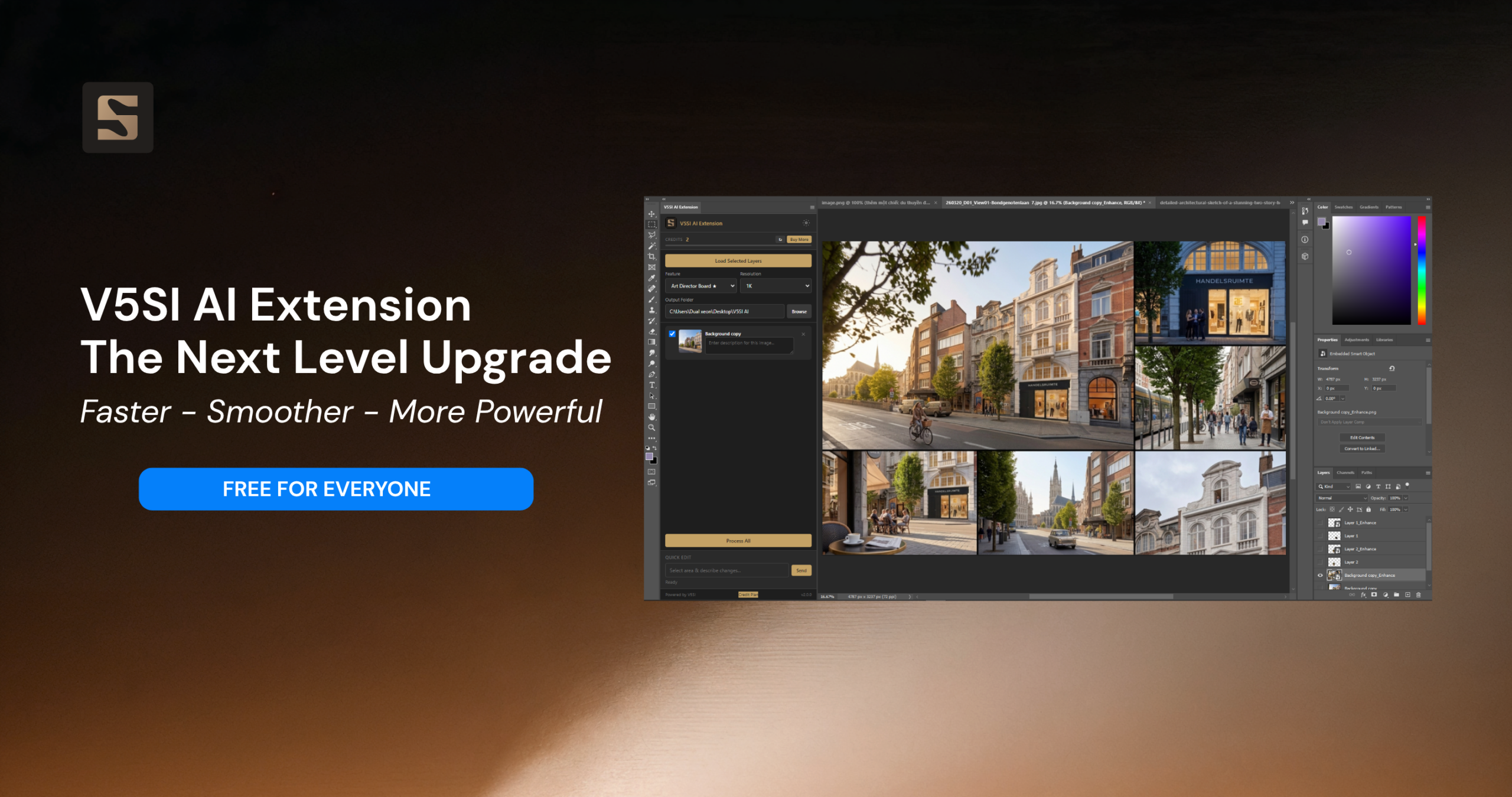
When AI is no longer just a tool, but a true teammate in your creative workflow.
When V5SI AI Extension was first released, our goal was simple: bring AI directly into Photoshop and eliminate the tedious manual workflow:
Crop → Upload → Wait for AI → Download → Re-import into Photoshop
A process every designer has experienced at some point.
The response from the community exceeded expectations. Hundreds of archviz artists, designers, and studios integrated the extension into their daily workflows. However, alongside the positive feedback, we consistently heard one recurring concern:
“I love the extension, but setting up the API key is too complicated. I just want to open it and use it immediately.”
“I’m not technical. What is an API key? Why do I have to create one?”
We understand. Not everyone wants or needs to deal with technical configurations. You are a designer. Your focus should be on creativity, not setup. And that’s exactly why we built a new version with major improvements.
Faster. Smoother. More Powerful.
Performance Improvements
- Compatible with all Photoshop versions from 2021 onwards
Fully tested and optimized across versions from 2021 to 2025 to ensure a seamless experience. - Significantly faster startup
The extension is ready to go as soon as Photoshop launches- no more waiting. - Smooth multi-tab workflow
Switching between Photoshop documents is now instant. No more layers “sticking” from previous files. - Credit Mode – Use instantly, no API key required
This is the biggest upgrade. You can now run AI directly on our infrastructure:
- No API key required
- No setup needed
- Sign up and start immediately
- Get 15 free generations
- If you find it useful, you can top up credits and keep creating.
Honestly, many users have already switched to this mode
Features – Exclusive for Credit Users
Beyond convenience, Credit Mode unlocks exclusive features designed specifically for professional archviz workflows by CAV Studio:
- Google Maps → Photorealistic
Convert Google Maps images into high-quality photorealistic renders – perfect for photomontage in planning and permit submissions
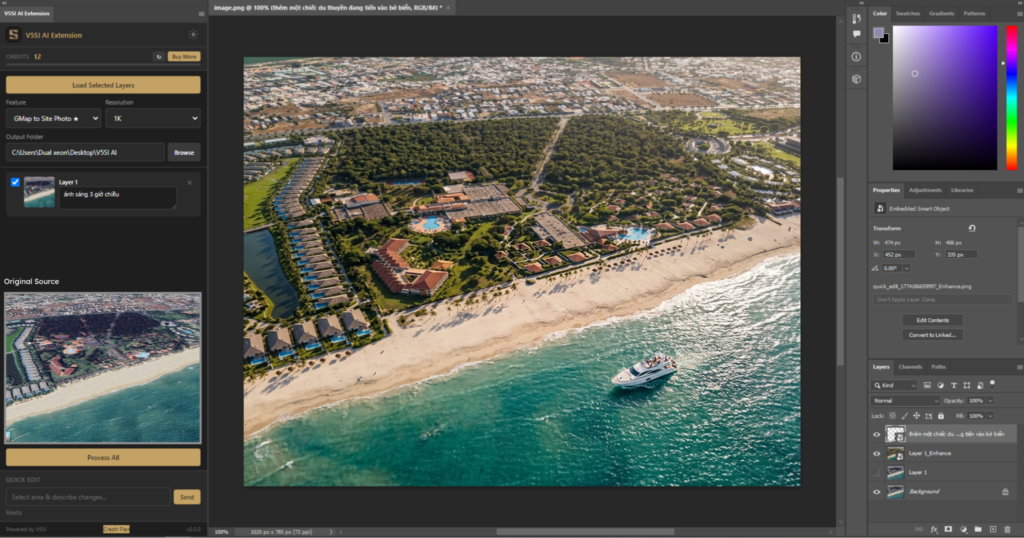
2D google map to Photorealistic image
- Art Director Board
Explore artistic directions and create multi-perspective mood boards for architectural projects - Camera Angle Study
Generate multiple camera angles from a single architectural image – optimized for the concept phase
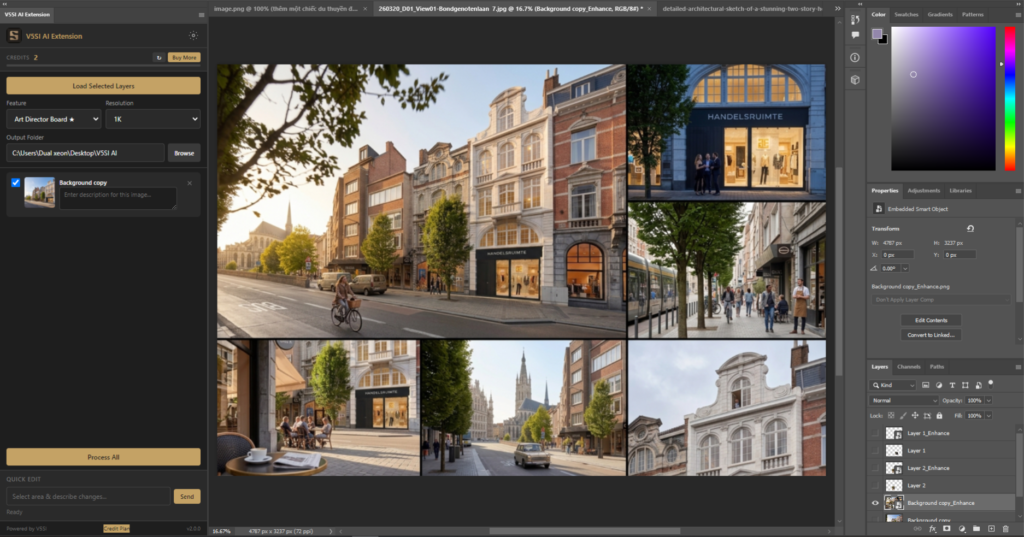
Generate Multiple Options for Art Directors
- Sketch to Render
Turn architectural sketches into high-quality renders in seconds – from hand-drawn lines to photorealistic results - Sketch to Photo / Luxury Photo
Transform sketches into realistic photos or high-end luxury-style visuals
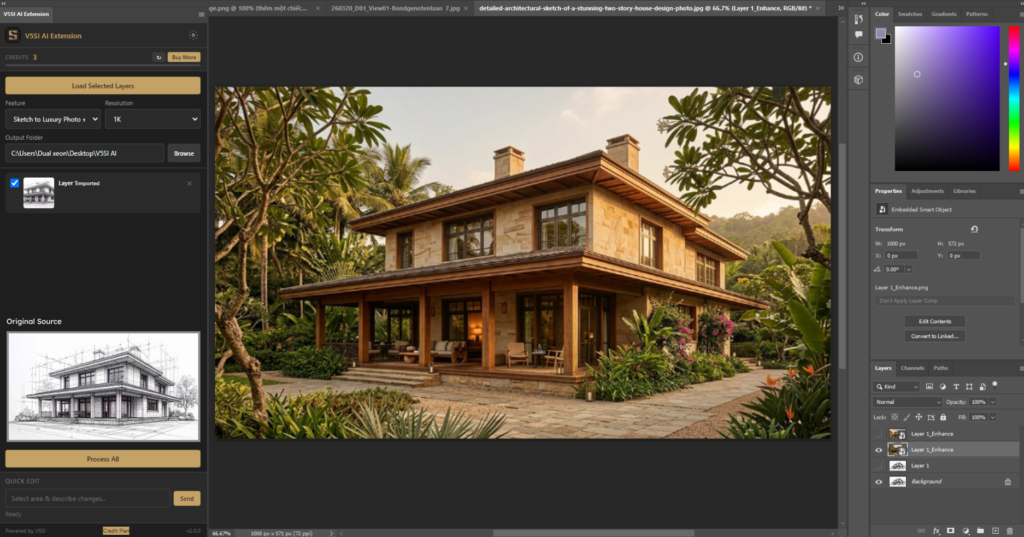
Sketch to Render
All of these features are deeply researched and optimized by the CAV Studio team based on real-world archviz workflows.
You simply: Select → Process → Get results
New features will be continuously updated in real time, staying aligned with the workflows we develop.
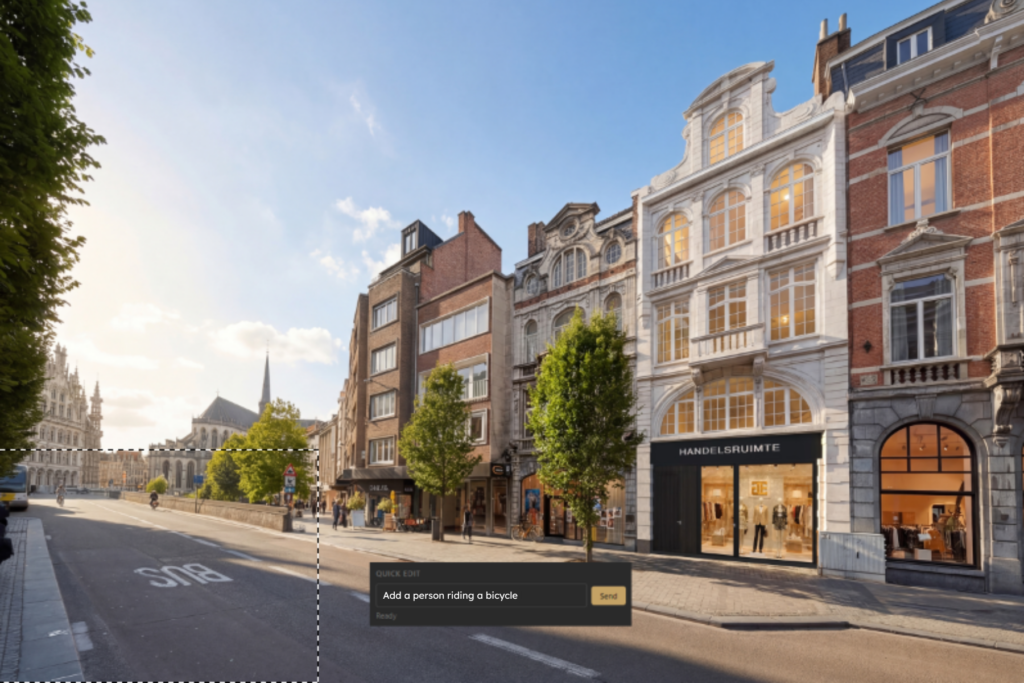
Quick Chat – AI Image Editing Made Effortless
How it works:
Quick Chat introduces a more intuitive way to edit images:
- Select the area you want to edit (using any selection tool)
- Describe what you want to change
- AI processes and places the result exactly in position
You can:
- Replace trees
- Adjust shadows
- Add details to empty areas
All in one simple flow: Select → Describe → Done
No layer setup. No complex steps.
Additional Improvements You’ll Love
- Update notification system
Always stay informed about new versions and features - Smooth progress tracking
Know exactly what the AI is processing in real time - Flexible switching between API mode and Credit mode
Switch anytime without losing data - Enhanced security
Encrypted API keys, anti-trial abuse system, and secure credit transactions powered by atomic transactions
Get Started Now
Don’t let outdated workflows slow down your creativity.
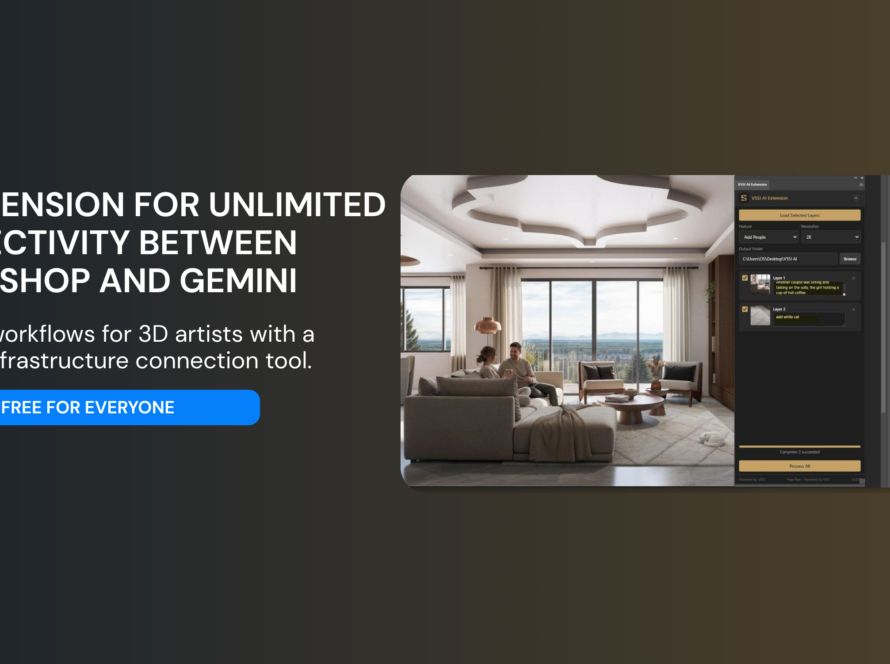
V5SI AI Extension transforms Photoshop into a complete AI studio where you can render, edit, and create without leaving your workspace.
👉 Download the latest version of V5SI AI Extension now
System Requirements
- Adobe Photoshop 2021 or later (Windows)
- Internet connection
- Credit Mode: sign up and top up credits
- API Mode: free Gemini API key from Google AI Studio
Follow V5SI
- Website: https://v5si.com
- Facebook: https://www.facebook.com/v5sigroup
- Email: info@v5si.com
V5SI AI Extension is developed by V5 Solution & Investment and CAV Studio – optimizing creative workflows for the archviz and design industry.
11 Comments
V5SI Team
Enhance Prople : Improved people look fake ( 3D People….)
V5SI Team
Add Prople : Select area need to add people, Ctr +J for make layer—-> Load Selected layers—–> Description about people you want ( man or girl, emotion….) and Click Process All
V5SI Team
Art Directer Board : Help you have idea for mood- lighting, camera angle…before you can start in your project. It also help you have image with many idea from you first image. Just add note how many image you want or mood- lighting…
V5SI Team
Lighting mood board : make many option lighting from your image, you can note how many option you want, or type of lighting ( daylight, sunset…). Example ” 4 option sunset lighting “
V5SI Team
Camera Angle study : From one rendering- bring to you many other camera angle- you can description detail the view you want
V5SI Team
Sketch to render: From your sketch—-> Become a realistic rendering, look like image render with Vray or Corona in high-lever
V5SI Team
Sketch to Photo : Frm your sketch—> Become a real photo look, the quality and feel like a photo. You can description mood and lighting you want
V5SI Team
Sketch to Luxury Photo: From your sketch,> Become a real photo look, the quality and feel like a photo. You can describe the mood and lighting you want. This bring a photo with a nice and luxury style
V5SI Team
Gmap to site photo: When you don’t have a photo, use it for photomontage or Photoshop. You can take a photo from Google Maps and use this feature to bring a realistic photo.
V5SI Team
2D Plan to 3D Floorplan: Render 2d floorplan to the 3D floorplan. You can add something important about your design in the description
V5SI Team
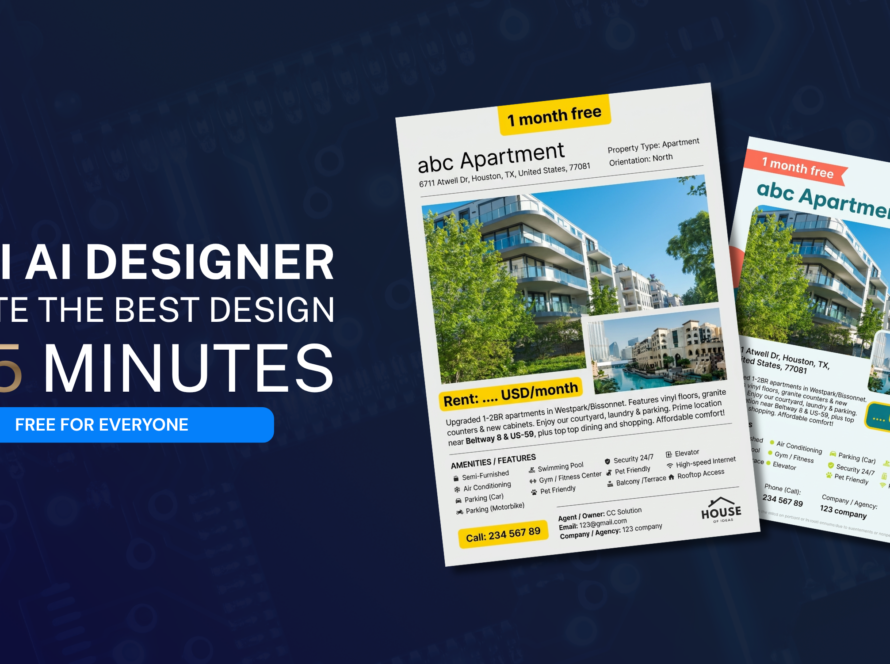
Social Graphic Design: From your image—-> Make a graphic design for marketing. Fill in the description of your content. Line breaks for main and subheadings.